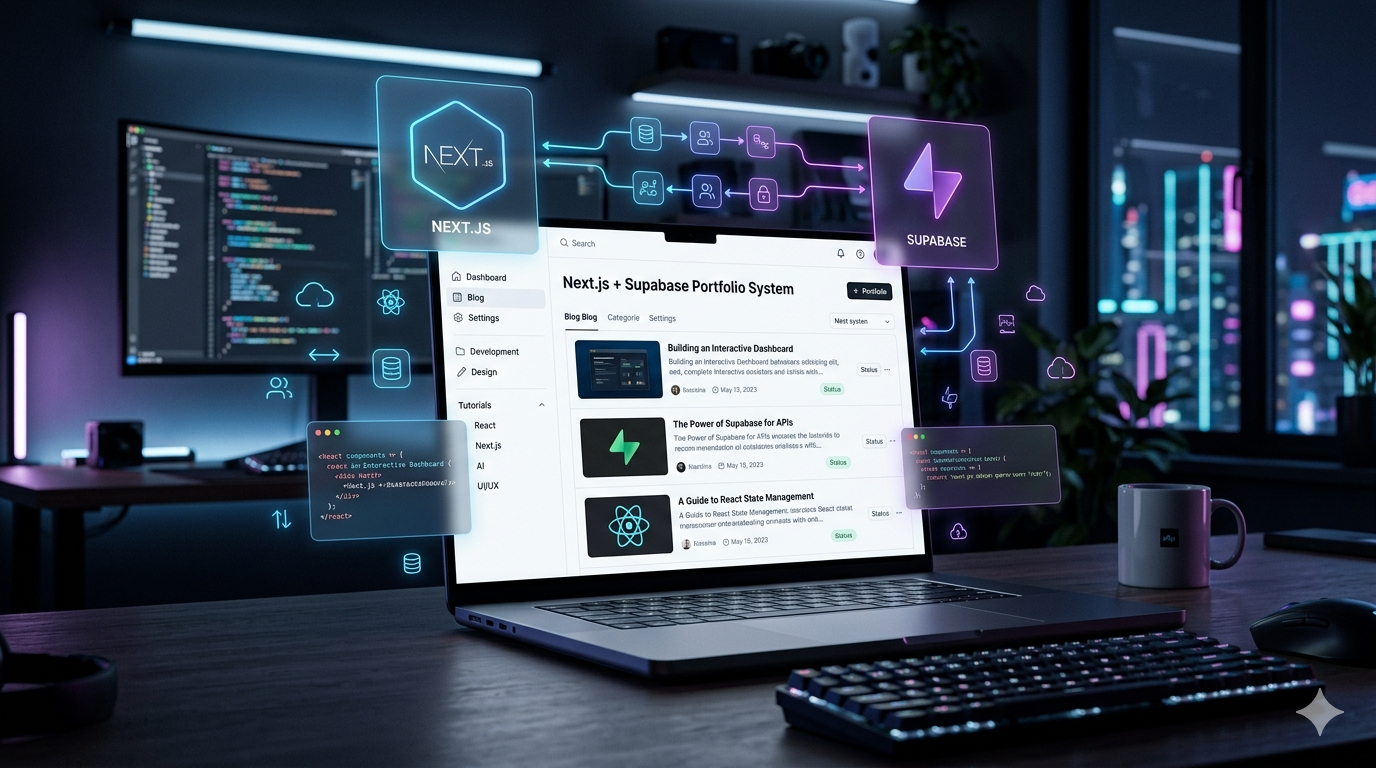
Building a Scalable Portfolio with Next.js & Supabase (Beyond Static Sites)
Most developer portfolios are static and forgettable. I built mine as a scalable system using Next.js and Supabase with a custom CMS, dynamic content, and real-world architecture decisions. Here’s why this stack changed everything.
Building My Portfolio with Next.js & Supabase (Simple, Flexible, and Fast)
Most portfolios are static.
A few pages, some projects, maybe a blog powered by markdown files. It works but it doesn’t evolve very well.
When I rebuilt my portfolio, I wanted something more flexible. Not a complex system, just something I could extend over time without fighting my own setup. A place where I could write, experiment, and ship ideas quickly.
That’s what led me to Next.js and Supabase.
This isn’t about building the “perfect” architecture. It’s about choosing a stack that lets me move fast while keeping things structured enough to grow.
The Limitation of Static Portfolios
Static portfolios are simple by design, and that’s exactly where they start to break.
The moment you want structure categories, subcategories, or dynamic content, you start working against your own system. Managing blog posts as files becomes messy, and even small updates require code changes.
I ran into this when I started thinking about writing consistently. I didn’t just want a blog, I wanted a way to organize content properly. Something like grouping topics under Artificial Intelligence, then narrowing down into things like agents or specific ideas.
At that point, keeping everything static didn’t make much sense anymore.
Why Next.js Made Sense
Next.js gave me the flexibility I needed without adding unnecessary complexity.
Some parts of the site can be pre-rendered for performance and SEO, while others stay dynamic. The App Router also made it easy to keep things organized as the project started growing.
What I liked most was how naturally everything fits together. UI rendering, data fetching, and even server-side logic can live in the same place without forcing you into a rigid structure.
For a project like a portfolio, that balance matters. It stays simple, but doesn’t limit what you can build next.
Vercel Made Deployment Effortless
Deploying with Vercel kept the workflow simple.
Any change I push to GitHub is automatically built and deployed. I didn’t need to set up or maintain a separate CI/CD pipeline, which is exactly what I wanted for a personal project.
That meant I could focus on building and writing, instead of managing infrastructure.
Why I Chose Supabase
The bigger decision wasn’t the frontend, it was the backend.
I didn’t want to manage servers or set up authentication from scratch. I also didn’t want to spend time writing boilerplate APIs just to store blog content.
Supabase handled all of that.
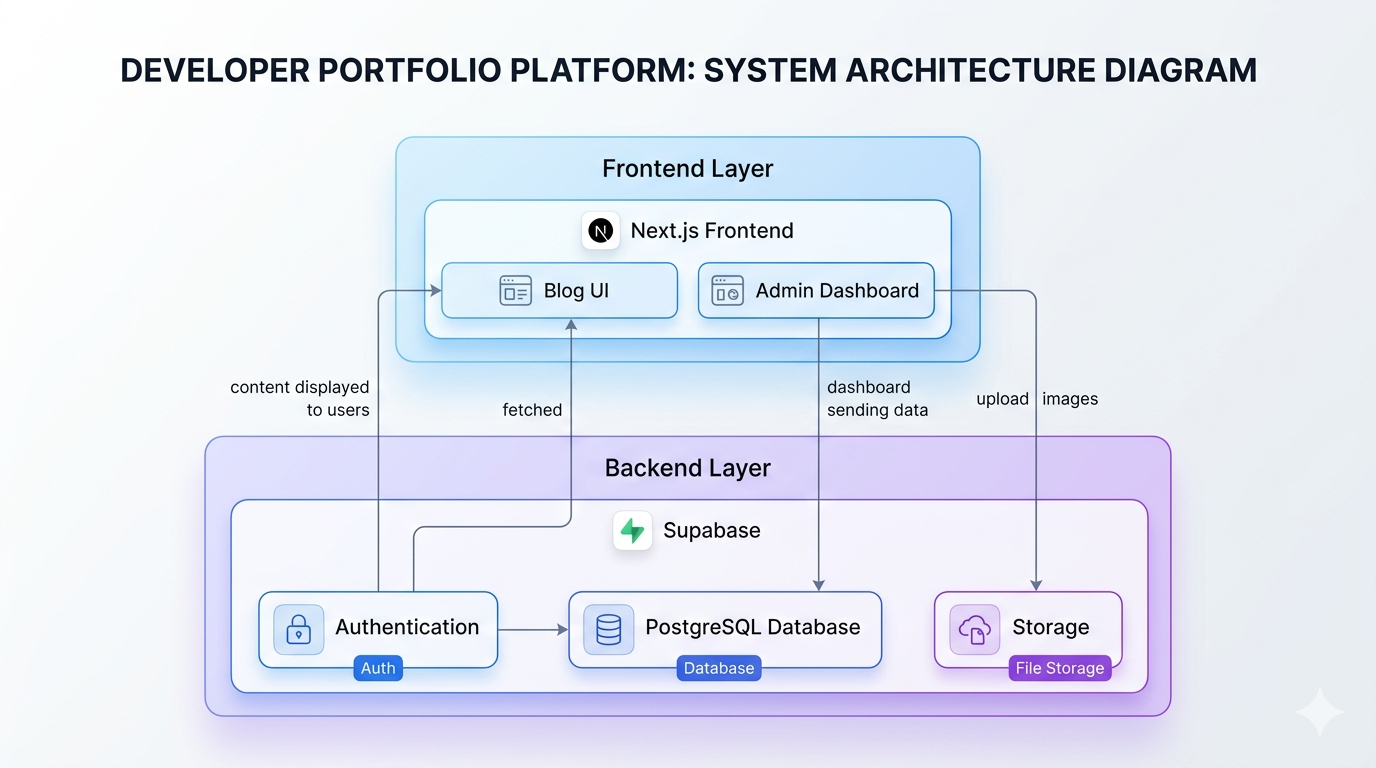
It gave me a Postgres database, authentication, and storage in one place. More importantly, it stayed close to the database, which made it easy to design my own structure for blogs, categories, and relationships.
It felt direct and predictable, which is exactly what you want when you’re building something on your own.
Building the System
Instead of storing blogs as files, I decided to store everything in the database.
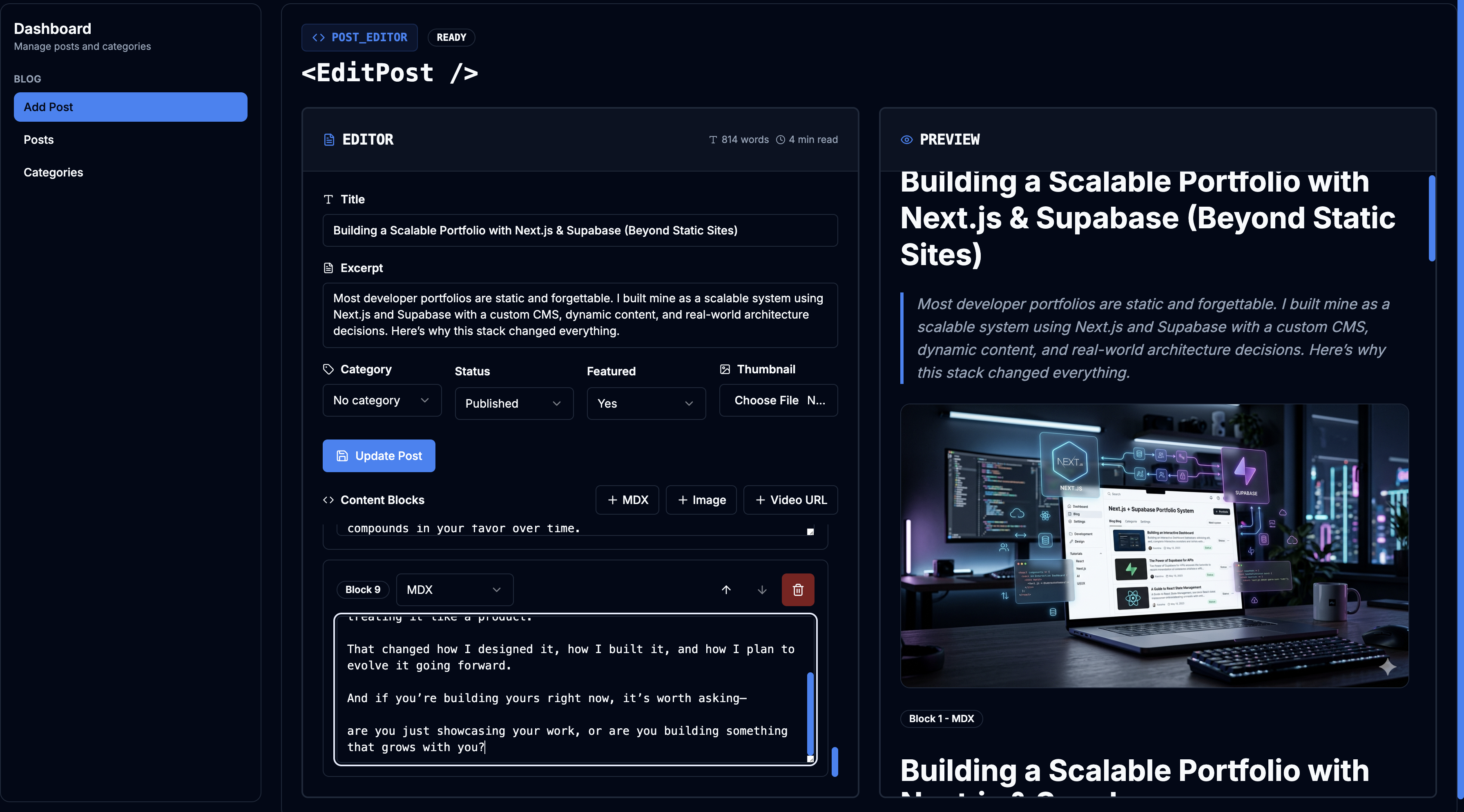
Each post is structured into blocks. That allows me to mix text, images, and videos without losing control over how content is rendered.
To make this usable, I also built a small internal dashboard. Instead of editing code every time I want to publish something, I can create content directly and organize it the way I want.
Since I’m the only user of this system, I didn’t overthink the dashboard design. The goal was simple, make publishing easy and keep the structure consistent.
That constraint actually made the system better. Less focus on polish, more focus on function.
Fetching Content from Supabase
On the frontend, fetching blog data is straightforward. I can directly query Supabase and render the content in my pages.
const { data: posts, error } = await supabase
  .from("posts")
  .select("*")
  .order("created_at", { ascending: false });

if (error) {
  console.error(error);
}
When This Approach Makes Sense
This setup isn’t for everyone.
If your goal is to ship a quick portfolio and move on, a static site is more than enough.
But if you see your portfolio as something you’ll keep building, adding content, experimenting with ideas, maybe even turning parts of it into products, then having a proper system underneath starts to pay off.
The complexity is slightly higher at the beginning, but it compounds in your favor over time.
Dynamic Routing with Next.js
Each blog is rendered using dynamic routes. This makes it easy to map URLs to specific posts without hardcoding anything.
// app/blog/[slug]/page.tsx
export default async function BlogPage({ params }) {
  const { slug } = params;

  const { data: post } = await supabase
    .from("posts")
    .select("*")
    .eq("slug", slug)
    .single();

  return <Article post={post} />;
}
What This Setup Enables
What I have now is still simple, but it’s structured in the right way.
Content isn’t scattered across files. Publishing doesn’t require touching code. And if I want to add new features later, I don’t have to rethink everything from scratch.
Next.js handles how things are rendered and optimized, while Supabase handles persistence and backend concerns. That separation keeps development fast without limiting flexibility.
When This Approach Makes Sense
If your goal is to launch a quick portfolio and leave it as-is, a static setup is more than enough.
But if you plan to write regularly, organize content, or gradually build on top of your portfolio, having a simple backend starts to make a difference.
It doesn’t need to be complex. It just needs to be flexible enough to grow with you.
Closing Thought
This portfolio isn’t overly complex, and that’s intentional.
Next.js and Supabase made it easy to move fast, keep things structured, and iterate without friction.
Right now, it’s a personal playground. A place where I can write, experiment, and ship ideas without overthinking the system behind it.
It’s not trying to be a full product. It’s built to stay simple, flexible, and under my control.
Because at the end of the day, I don’t just want a portfolio that looks good, I want one I can keep building on.
It doesn’t need to be perfect. It just needs to be something I can keep shipping on.
Subscribe to Updates
Get notified about new projects and articles.
Comments
Loading comments...